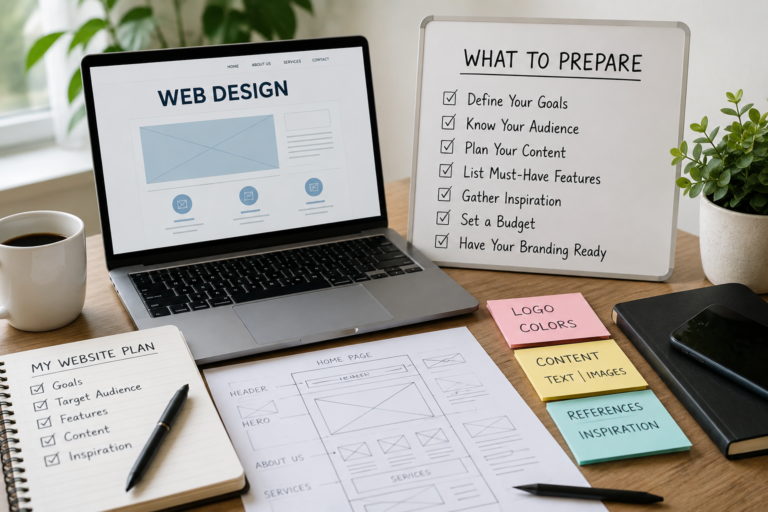
Hiring a web designer is an exciting step for any business — but one of the most common reasons projects run over time or over budget is that clients aren’t quite ready when the process begins. A little preparation before your first meeting goes a long way toward a smoother, faster, and more satisfying result.
Here’s exactly what to have ready before you hire a web designer.
1. A Clear Idea of What You Want Your Website to Do
Before thinking about design, think about purpose. What do you actually want your website to achieve? Common goals include:
- Generating enquiries or phone calls from potential customers.
- Selling products or services online.
- Building credibility and trust with people who’ve heard about your business.
- Providing information to existing customers (hours, location, services).
The clearer you are about your primary goal, the easier it is for your designer to build a site that achieves it — rather than one that simply looks nice but doesn’t actively support your business.
2. Your Branding — Logo, Colours, and Fonts
If you already have a logo, make sure you have a high-resolution digital version ready to share — ideally in PNG format with a transparent background, or an original vector file (AI or SVG). A small, pixelated logo pulled from an old Facebook post won’t work well on a professional website.
If you have brand colours or fonts already established, note these down too. If you’re not sure of the exact colour codes, a designer can usually work them out from your existing materials — just flag it upfront.
If you don’t yet have a logo or established branding, mention this early. Many web designers can assist with basic branding, or recommend someone who can, before the website build begins.
3. Your Website Content
This is the one area that most often delays projects. Content — the actual words, images, and information that go on each page — is almost always the client’s responsibility to provide, and it’s the single most common reason websites take longer than expected to complete.
Before your project starts, prepare the following:
- Written copy for each page — what you want to say about your business, services, and team. It doesn’t need to be perfect; your designer may be able to help refine it, but the core information needs to come from you.
- Professional photos — of your team, your premises, your products, or your work. Stock images can fill gaps, but real photos of your actual business build far more trust with visitors.
- Your contact details — phone number, email address, physical address, and business hours.
- Any specific information per service — descriptions, pricing (if you want to display it), and frequently asked questions.
The more complete your content is before the project starts, the faster your website will be finished.
4. Examples of Websites You Like
You don’t need to be a designer to have an opinion on what you like. Before your first meeting, spend 20 minutes browsing websites — including competitor sites and businesses in completely different industries — and note down two or three examples you find appealing. Be specific about what you like: the colours, the layout, the way information is presented, or simply the overall feel.
This gives your designer a concrete starting point and dramatically reduces the number of revision rounds needed to land on a direction you’re happy with.
5. Your Domain Name
A domain name is your website address — for example, weblingwebdesign.co.za. If you already have one registered, make sure you know:
- Where it’s registered (which company holds the domain).
- Your login details for that account.
If you don’t yet have a domain, think about what you’d like it to be before your first meeting. Ideally it should be short, easy to spell, and match your business name as closely as possible. Your web designer can usually assist with registering a domain if needed.
6. Your Hosting Situation
Website hosting is the service that keeps your website live on the internet. If you already have hosting in place, your designer will need the login details or access to your hosting account. If you don’t have hosting yet, let your designer know — they’ll usually be able to recommend a reliable, affordable option.
7. A Realistic Budget and Timeline
Be upfront about your budget from the start — a good designer will tell you honestly what’s achievable within it rather than building something that exceeds your means or, worse, delivering something that falls short of what you actually need. Knowing your budget upfront also avoids wasted time on proposals that aren’t a realistic fit.
Similarly, if you have a specific deadline — a business launch, a trade show, or a seasonal promotion — mention this at the outset so your designer can plan accordingly.
8. A List of Features or Functionality You Need
Think about whether your website needs any specific functionality beyond standard pages. Common examples include:
- An online contact or enquiry form.
- A booking or appointment system.
- An online shop or payment facility.
- A photo gallery or portfolio.
- A blog or news section.
- Integration with social media or other tools.
Not all of these are included in a basic website build — flagging your requirements early ensures your quote covers everything you need from the start.
Final Thoughts
The businesses that get the best results from a web design project are almost always the ones who come prepared. You don’t need to have everything perfectly polished before your first conversation — but knowing your goals, having your content roughly ready, and being clear about your budget will make the whole process faster, smoother, and more likely to deliver a website you’re genuinely proud of.
At Webling Web Design, we guide every client through this process from the very first conversation — helping you figure out exactly what you need, what to prepare, and what to expect at every stage. Get in touch for a free, no-obligation chat about your website project.